
New Hue
NewHue is an AR-powered contact lens try-on platform that allows users to preview different lens colours in real time before purchasing. My role focused on optimising the virtual try-on feature by improving the UX/UI, interaction flow, eye-colour calibration, lens rendering, opacity, colour blending, and iris detail to create a more intuitive, realistic, and visually accurate AR experience.
Role
UX/UI Design
Year
2026
Platforms
Web App
Industry
Eye Care
Task
The task was to optimise NewHue’s AR lens try-on feature by improving how virtual lenses appear on different natural eye colours. The existing overlay did not fully account for iris pigmentation, melanin density, or lighting, which reduced realism and user confidence.
My focus was to refine the UX/UI, eye-colour calibration, lens opacity, blending, and visual feedback to create a more realistic, personalised, and trustworthy try-on experience.
.jpg)
Design Process

UX Research
The UX research focused on understanding why the AR lens preview needed to adapt to each user’s natural eye colour. Research showed that coloured lenses are semi-translucent, meaning their final appearance is influenced by iris pigmentation, lens opacity, lighting conditions, and pupil size.
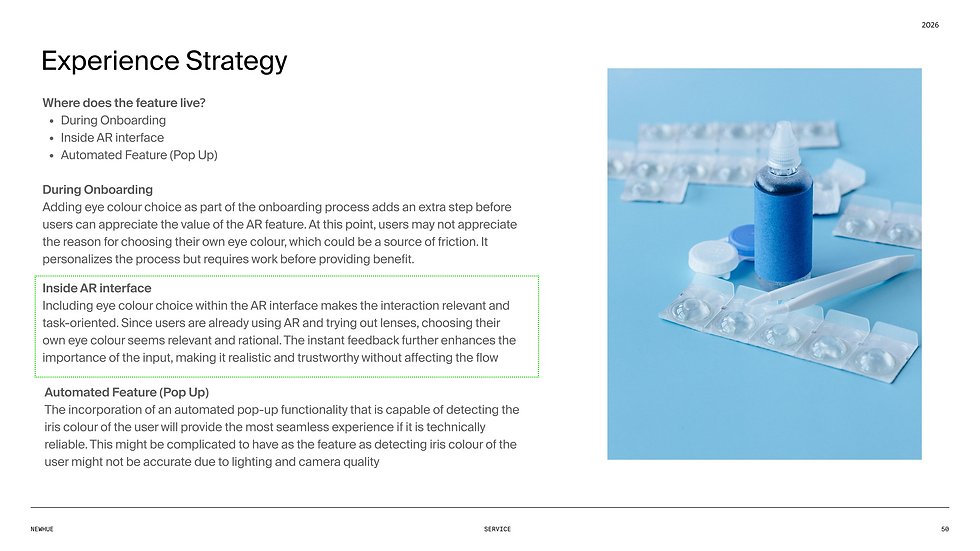
This helped identify the core issue: a fixed lens overlay could misrepresent the real-world result, especially across different eye colours. I explored assumptions and risks around user understanding, calibration accuracy, lighting distortion, and added friction.
These insights shaped a practical optimisation approach: a quick eye-colour selector, clearer contextual copy, instant AR recalibration, and visual feedback to make the try-on experience feel more realistic, personalised, and trustworthy.
.png)
.png)
.png)
.png)
User Flows
The user flow maps how the eye-colour calibration fits into the AR try-on journey. After onboarding and camera permission, users enter the camera experience and can select their natural eye colour before trying lenses.
Once selected, the AR rendering recalibrates instantly and updates the lens preview in real time. Users can also ignore the selector and continue trying lenses, keeping the flow flexible while still offering a more accurate and personalised preview.
.png)
Lens Transparency &
Iris Interaction Explanation
This research showed that coloured contact lenses are semi-translucent, so their final appearance depends on the user’s natural iris colour, lighting, opacity, and pupil size.
Because the same lens can look different on brown, blue, or hazel eyes, a fixed AR overlay would not be accurate. The solution was to use iris calibration, allowing the system to adjust blending, saturation, contrast, and opacity for a more realistic and trustworthy lens preview.
.png)
Iris Calibration Logic
This logic shows how the AR system adjusts lens rendering based on the user’s natural eye colour. Darker eyes need more opacity and brightness support, lighter eyes need less adjustment, and mixed tones like hazel need balanced blending and hue control.
The goal is to create a more consistent, realistic preview based on iris pigmentation rather than relying on changing lighting conditions.
.png)
Interaction States &
Edge Conditions
This section defines how the AR try-on feature should behave across different user and technical scenarios. The eye-colour selector remains optional, so users can continue without interruption, while those who select or change their eye colour receive instant recalibration.
It also covers edge cases such as low lighting, tracking loss, denied camera access, and session persistence. These states help keep the experience stable, clear, and usable while reducing friction and improving trust in the AR preview.
.png)
Outcome
The final outcome was a more personalised and realistic AR lens try-on experience. By placing natural eye-colour selection directly inside the AR interface, users can calibrate the preview at the moment it matters most without disrupting the flow.
The system then adjusts lens opacity, blending, and rendering behaviour based on the user’s selected eye colour. This turns the try-on from a generic overlay into a more accurate simulation, helping users build trust in the preview and feel more confident before purchasing.

Discover More


